We are thrilled to launch one of our most requested features: Batch Drum Remapping, now available exclusively for PRO Members.
Until now, remapping your MIDI drum tracks was a one-file-at-a-time process. If you had a full album or a massive package of MIDI drum loops that didn't match your VST drum library, you had to upload and convert them individually. With Batch Remapping, you can now process up to 20 MIDI files in a single click, saving you hours of tedious work.
Unified DAW & VST Selection
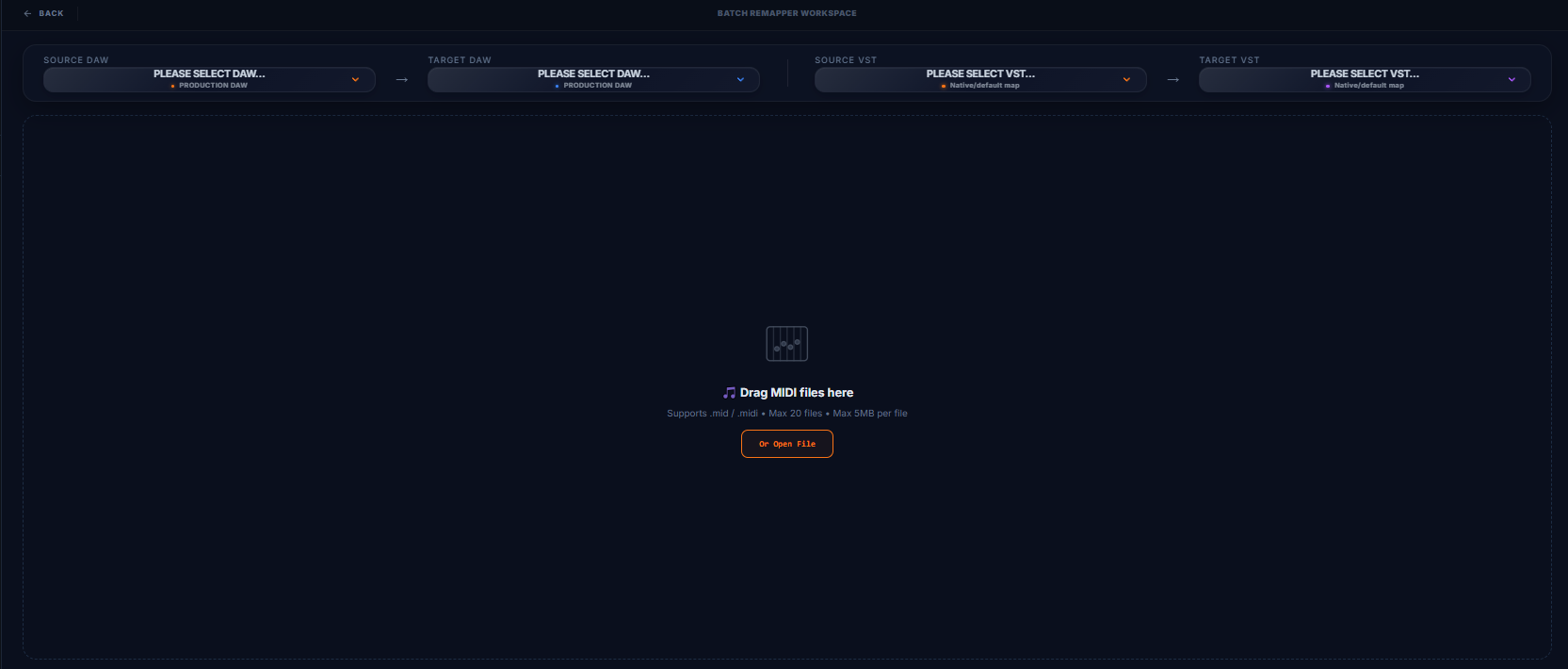
We've designed a brand new floating Mapping Bar at the top of the workspace. This bar lets you specify both your DAW route (e.g., FL Studio to Ableton Live) and your VST drum route (e.g., GGD Modern & Massive to GetGood Drums Matt Halpern Signature) in a single horizontal workflow. First select your DAW, then select your VST, and you're ready to upload.

Interactive Upload & Queue List
The workspace features a drag-and-drop zone optimized for multiple files. Just drop up to 20 files, and watch them queue up instantly. You'll see file names, sizes, and readiness badges immediately. The layout is fully responsive, listing your queue clearly without cluttering your workspace.
How to Use Batch Remap
- Step 1: Head over to the batch workspace by clicking the Batch Remap (PRO) button in the control panel.
- Step 2: Set your Source/Target DAW and VST presets on the Mapping Bar.
- Step 3: Drag and drop up to 20
.mid/.midifiles (Max 5MB each) into the drop zone. - Step 4: Click the Remap Batch Now button. The system validates the MIDI structure of each file and compiles them into a zipped archive (
.zip) that downloads automatically.