If you're producing modern metal, you likely own libraries from both GetGood Drums (GGD) and Mixwave. They are the top tier of drum production right now. However, if you've ever tried to drag a MIDI groove programmed for GGD Invasion into the Mixwave Gojira library, you know the pain: the mapping is completely different.
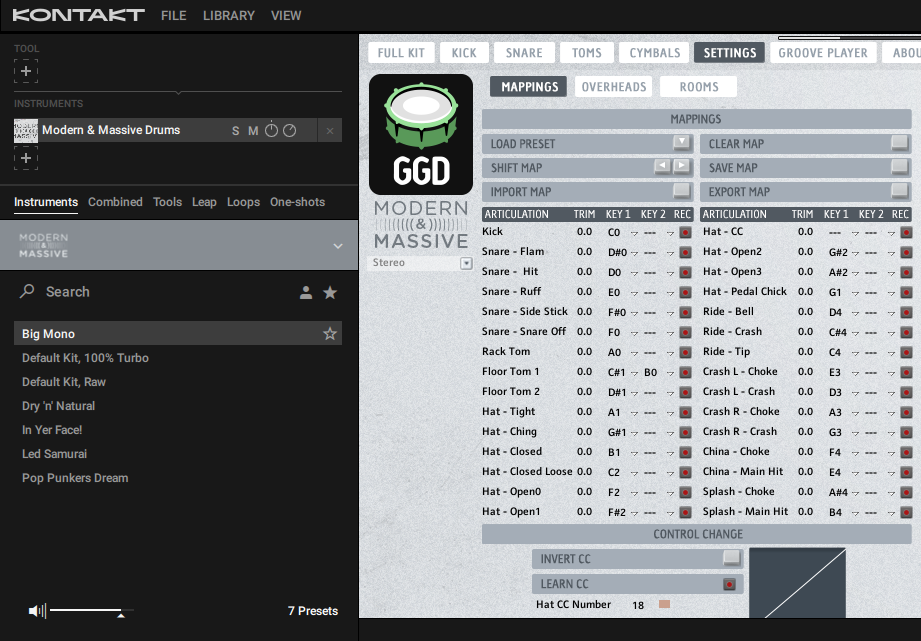
The Mapping Conflict
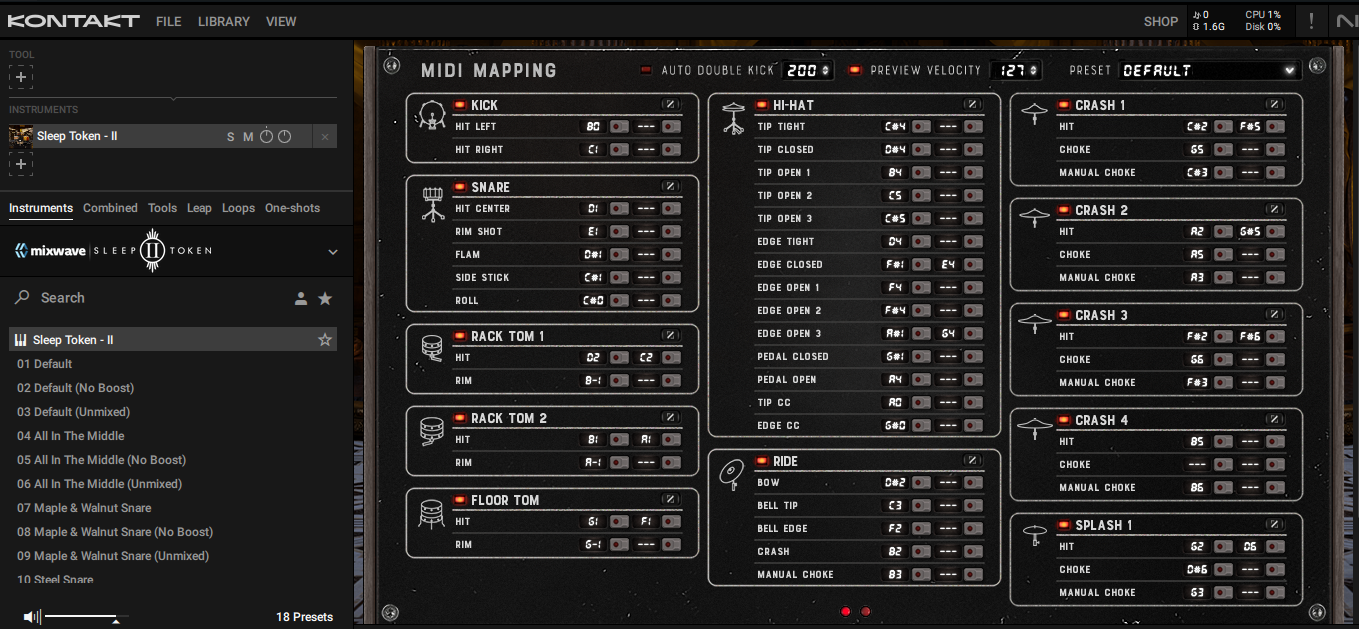
GGD libraries (like Modern & Massive or Invasion) often use a layout that prioritizes ease of use in the piano roll, but it doesn't always follow the General MIDI standard. Mixwave, on the other hand, uses a very dense mapping system to accommodate their incredible amount of articulationsespecially for snares and hi-hats.
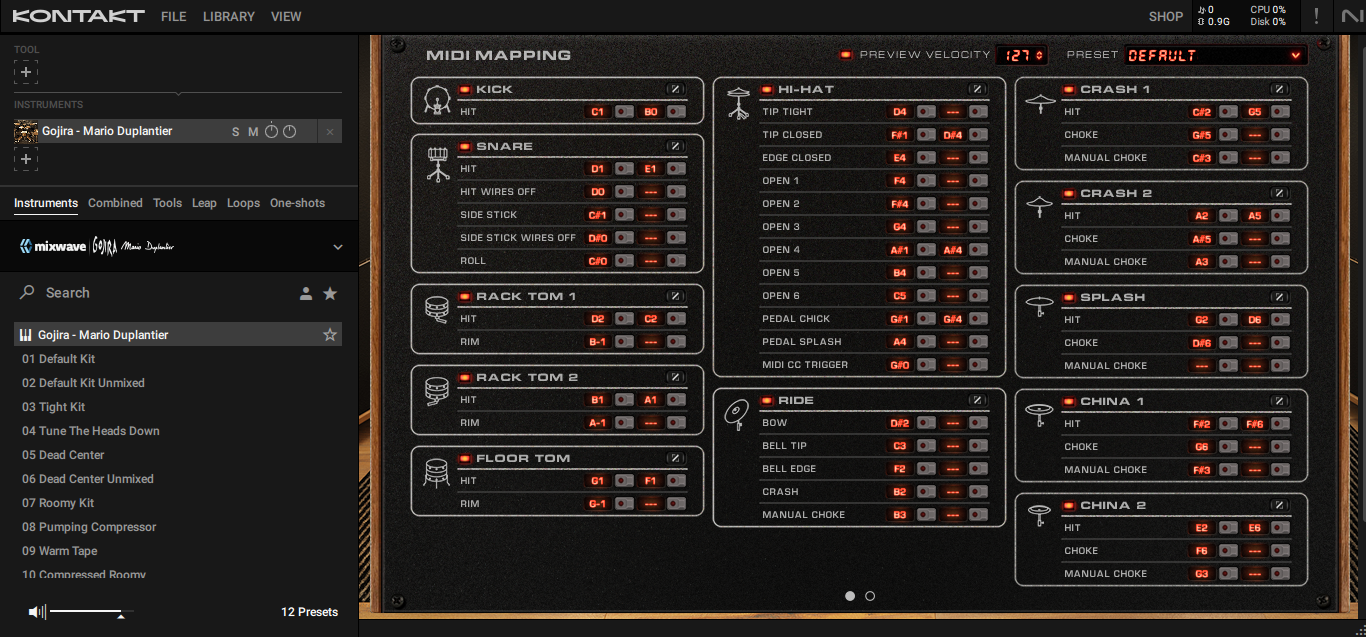
When you drop GGD MIDI into Mixwave:
- Your Snares might trigger rimshots or sidesticks instead of center hits.
- Your Toms might be shifted by one or two notes, making your fills sound like a mess.
- Your Cymbals (especially chokes) often don't trigger at all because Mixwave uses specific notes for manual chokes.
The Manual Fix (Slow)
You can open the "Settings" tab in Mixwave and use the MIDI Learn feature. You'd have to click each drum, hit "Learn," and then trigger the corresponding note from your GGD MIDI. This works, but you have to do it for every single kit you own. If you switch to the Mixwave Luke Holland kit, you might have to do it all over again.
The Pro Fix: DrumRemap (Fast)
DrumRemap understands the "DNA" of both GGD and Mixwave. It knows exactly where GGD puts its snares and where Mixwave Gojira expects them.
- Export your MIDI from the GGD project.
- Upload to DrumRemap.
- Set Source VST to your specific GGD kit (e.g., GGD Invasion).
- Set Target VST to your Mixwave kit (e.g., Mixwave Gojira).
- Download the remapped file and drag it into your Mixwave track.
Conclusion
Don't let technical mapping issues stop you from experimenting with your drum tones. Use GGD for its incredible punch and Mixwave for its polished, album-ready sound. With DrumRemap, you can have the best of both worlds without the manual labor.