Matt Halpern's drumming (Periphery) is legendary for its combination of power, ghost notes, and complex cymbal work. Most producers who use his MIDI packs do so within the GGD P5 (Matt Halpern Signature) library. However, the Bogren Digital Krimh Drums library has become a new favorite for its massive, organic, and mix-ready sound.
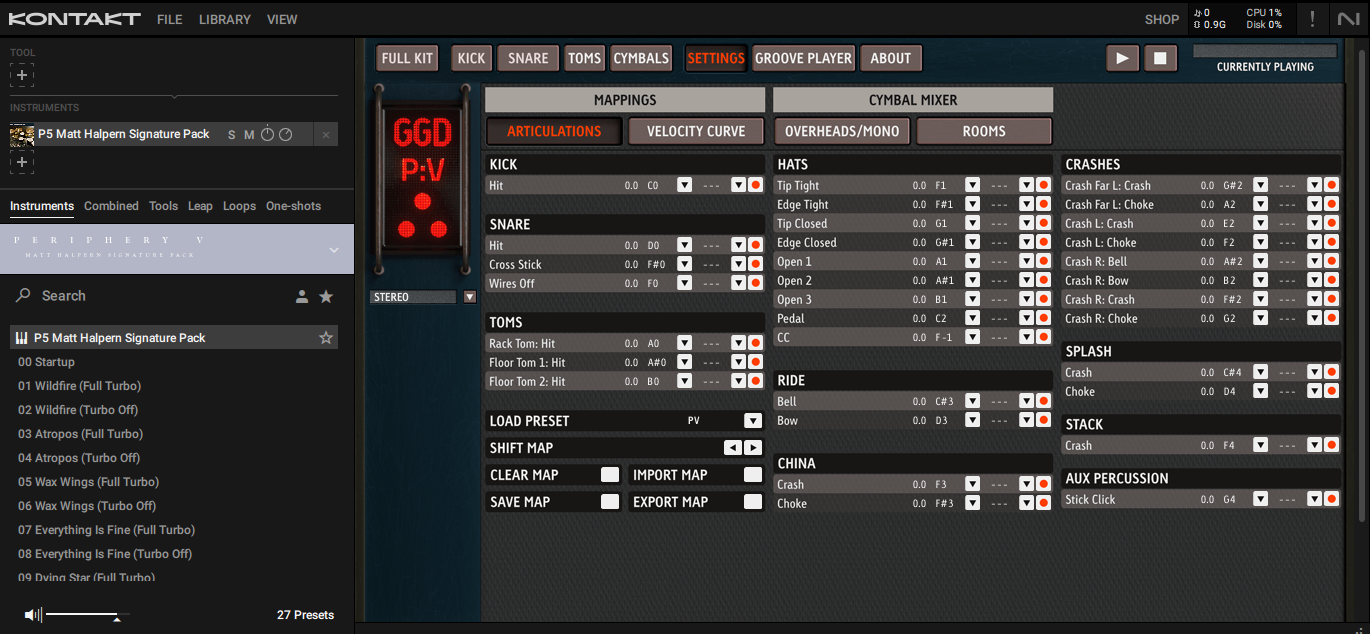
The Progressive Metal Challenge
When dealing with progressive metal MIDI, the details are everything. Matt Halpern's MIDI is full of subtle hi-hat openings, snare ghost notes, and specific cymbal bells. If you simply drag this MIDI into Krimh Drums, the "feel" will be completely lost because Krimh uses a different internal logic for its advanced drumming algorithms.
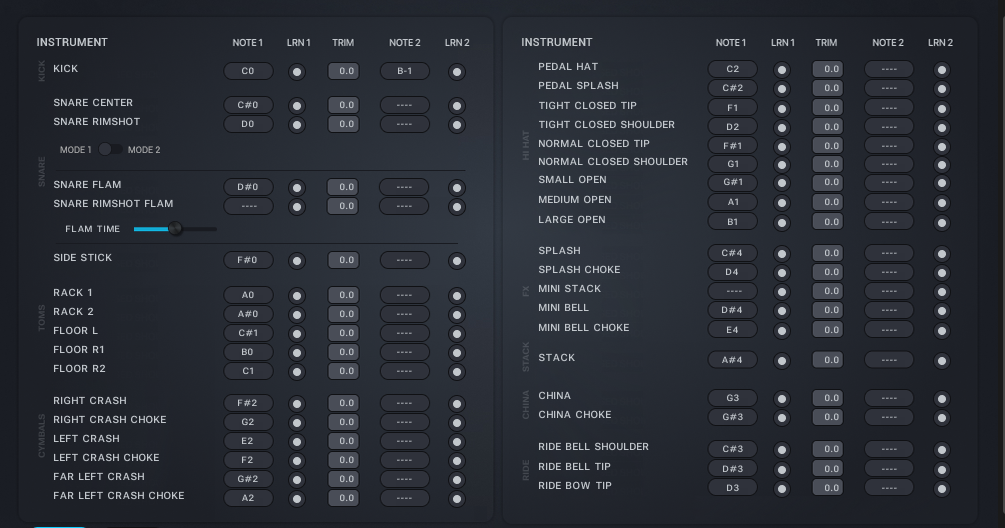
Common issues when switching from GGD P5 to Krimh:
- Snare Articulations: GGD's snare hits might trigger Krimh's rimshots or side-sticks, killing the "punch" of the backbeat.
- Hi-Hat CC Data: Both plugins handle hi-hat openness differently. Without remapping, your hats will sound either "always open" or "completely dead."
- Cymbal Chokes: Progressive metal relies heavily on tight cymbal stops. Krimh uses a specific note range for these that doesn't match GGD's layout.
The Solution: Professional Remapping
Instead of manually editing thousands of MIDI notes in your DAW's piano rollwhich can take hours for a single songyou can use DrumRemap to handle the heavy lifting.
- Load your Matt Halpern MIDI file into DrumRemap.
- Set Source VST to GGD P5 (Matt Halpern Signature).
- Set Target VST to Bogren Digital Krimh Drums.
- Use the Velocity Scaling tool if you want to push Krimh's samples even harder.
- Download and import back to your DAW.
Why it Works
DrumRemap doesn't just "move notes." It understands the articulation maps of both premium plugins. When it sees a GGD "Snare Center" hit, it looks for the equivalent high-velocity center hit in Krimh, ensuring that the performance stays the same even though the instrument has changed.
This flexibility allows you to write your songs using the GGD kits you're comfortable with, and then "swap the drummer" to Krimh for the final mix to get that specific Bogren Digital character.